MarChat
AI-Powered Pre-Arrival Form Automation — Technical Reference
MarChat automates pre-arrival port documentation for commercial vessels. Using a tool-calling LLM agent, it reads crew lists, certificates, and vessel particulars, then fills Excel, DOCX, and PDF templates automatically. Designed for ship operators and agents who process repetitive port entry paperwork across multiple jurisdictions.
Architecture
A FastAPI backend serves the LLM agent and document processing pipeline. The React frontend provides a chat interface where users upload source documents and request form generation. The agent extracts structured data, maps it to form fields, and produces ready-to-submit files.
Tech Stack
| Layer | Technology |
|---|---|
| Frontend | Next.js, React |
| Backend | FastAPI, Python |
| Database | SQLite |
| LLM | Ollama (qwen2.5:32b), Anthropic API |
| Document processing | openpyxl, python-docx, PyMuPDF |
| Deployment | Docker |
Form Generation
The core workflow: upload source documents (crew list, vessel particulars, certificates) → the LLM extracts structured data → fields are mapped to the target form template → a filled document is generated for download.
The agent handles field-level validation (date formats, IMO number checksums, nationality codes) and flags missing or inconsistent data before producing the final document.
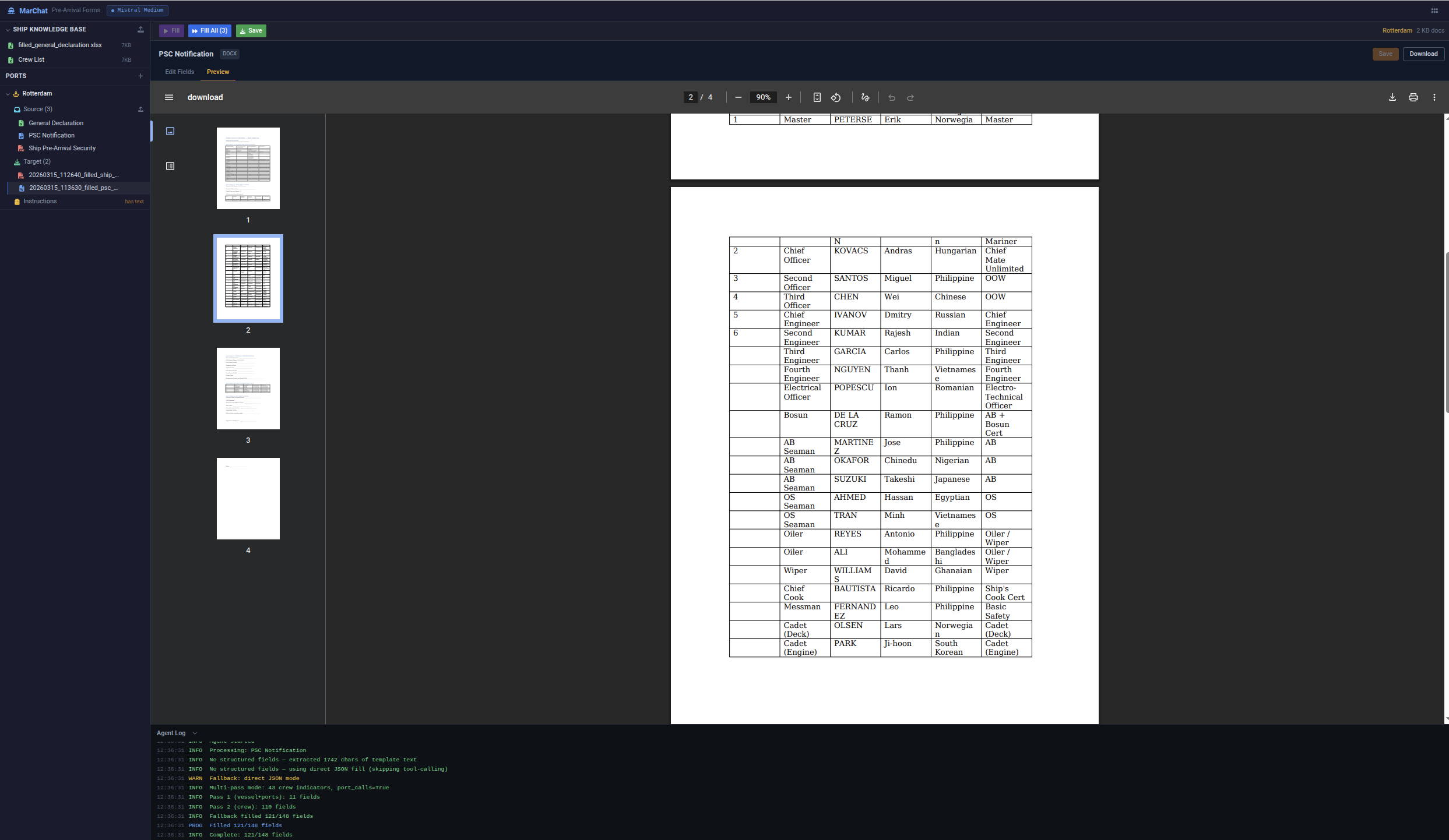
PSC Notification form generated from uploaded source documents. The agent log (bottom) shows the multi-pass fill process — vessel/port fields first, then crew data, with fallback to direct JSON mode when tool-calling is unavailable. 125 of 140 fields filled automatically.
Crew Management
Crew lists are parsed from Excel or PDF uploads. The system maintains a local crew database with certificate expiry tracking. When generating forms, crew data is pulled from the database and merged with voyage-specific information.
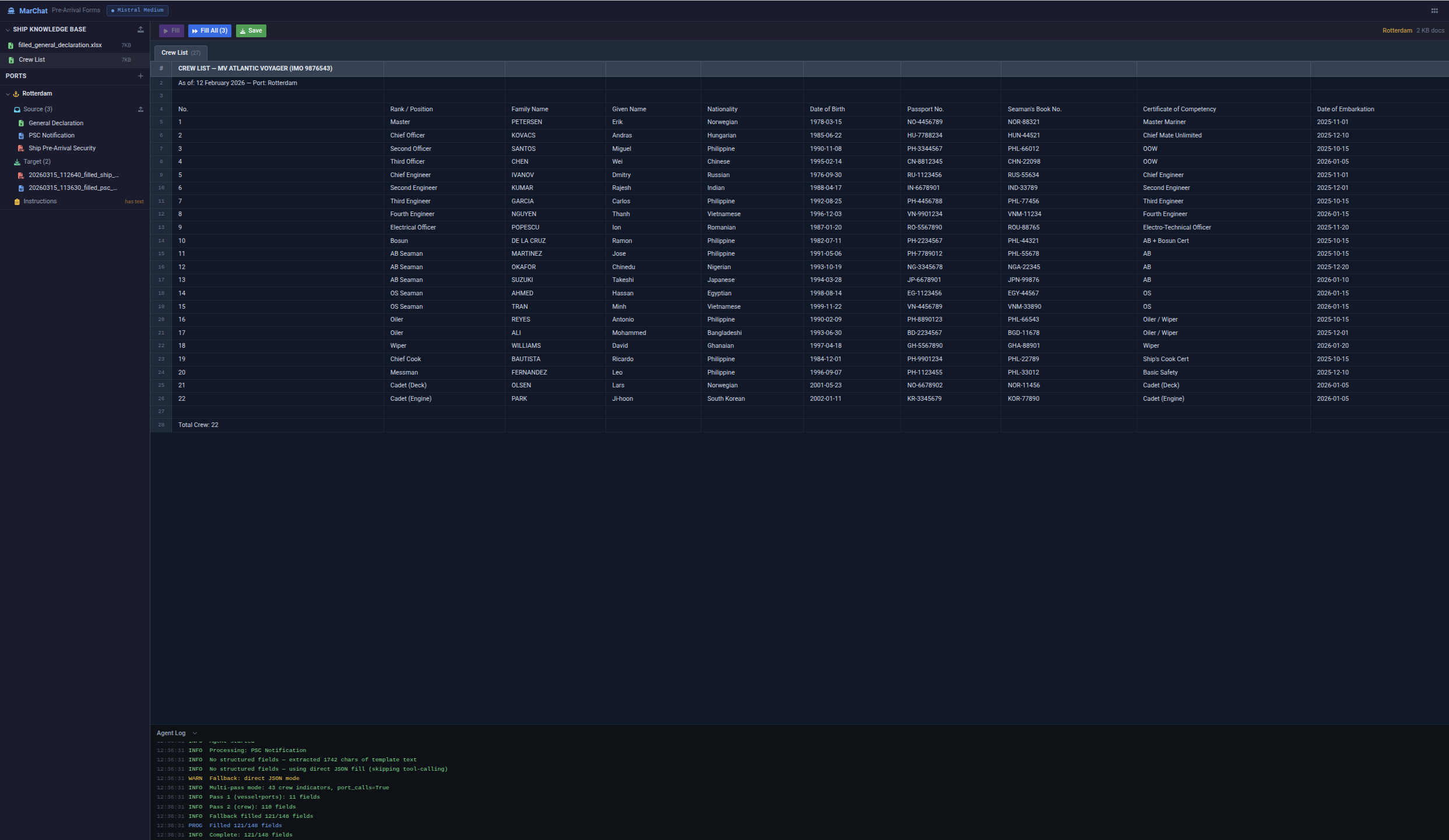
Crew list for MV Atlantic Voyager (IMO 9876543) — 22 crew members with rank, nationality, passport and seaman's book numbers, certificate of competency, and embarkation dates. Data is extracted from uploaded Excel files and reused across all form templates.
Template Engine
Form templates are Excel/DOCX files with tagged placeholder cells. The engine supports conditional sections (e.g., hazmat declarations only when dangerous cargo is present), repeating rows (crew lists, cargo manifests), and multi-sheet workbooks.
Chat Interface
Users interact via natural language: "Fill the Rotterdam pre-arrival form for next Tuesday's call". The agent resolves the port, selects the correct template, gathers required data from the crew database and uploaded documents, and produces the form.
Supported Forms
| Form | Standard | Format |
|---|---|---|
| FAL Form 1 — General Declaration | IMO FAL Convention | Excel |
| FAL Form 2 — Cargo Declaration | IMO FAL Convention | Excel |
| FAL Form 5 — Crew List | IMO FAL Convention | Excel |
| FAL Form 6 — Passenger List | IMO FAL Convention | Excel |
| ISPS Pre-Arrival Security Info | ISPS Code | DOCX |
| Maritime Declaration of Health | IHR 2005 | |
| Customs Manifest | Port-specific | Excel |
API Reference
The backend API is organized around document processing workflows. Key endpoints handle file upload, form generation, crew management, and template administration. All endpoints return JSON except document downloads (binary file responses).